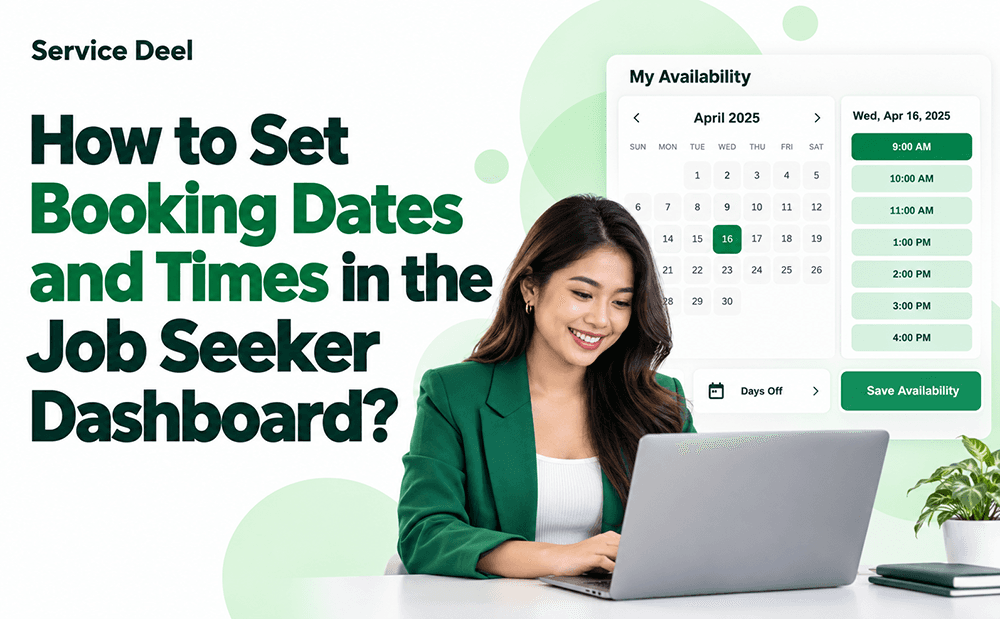
Manage your schedule easily with Service Deel! As a Job Seeker or Service Provider, you can set your available dates and times so Employers and Clients know when they can book your services. You can also schedule days off when you are unavailable.
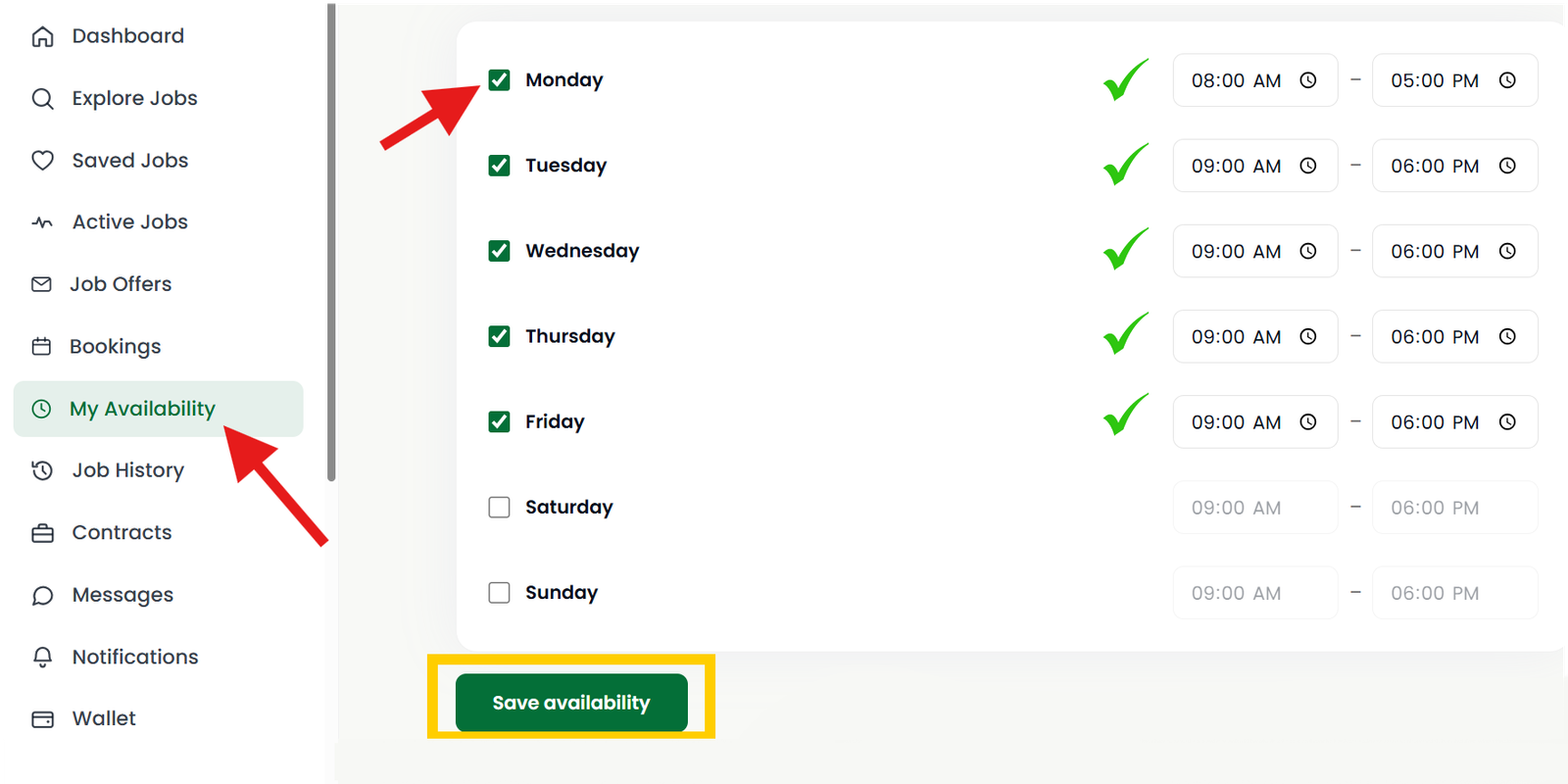
Step 1: Set Your Availability
- Go to your Job Seeker Dashboard.
- Click My Availability.
- Select the days you are available to offer your services.
- Set your preferred start and end times.
- Click Save Availability to update your schedule.
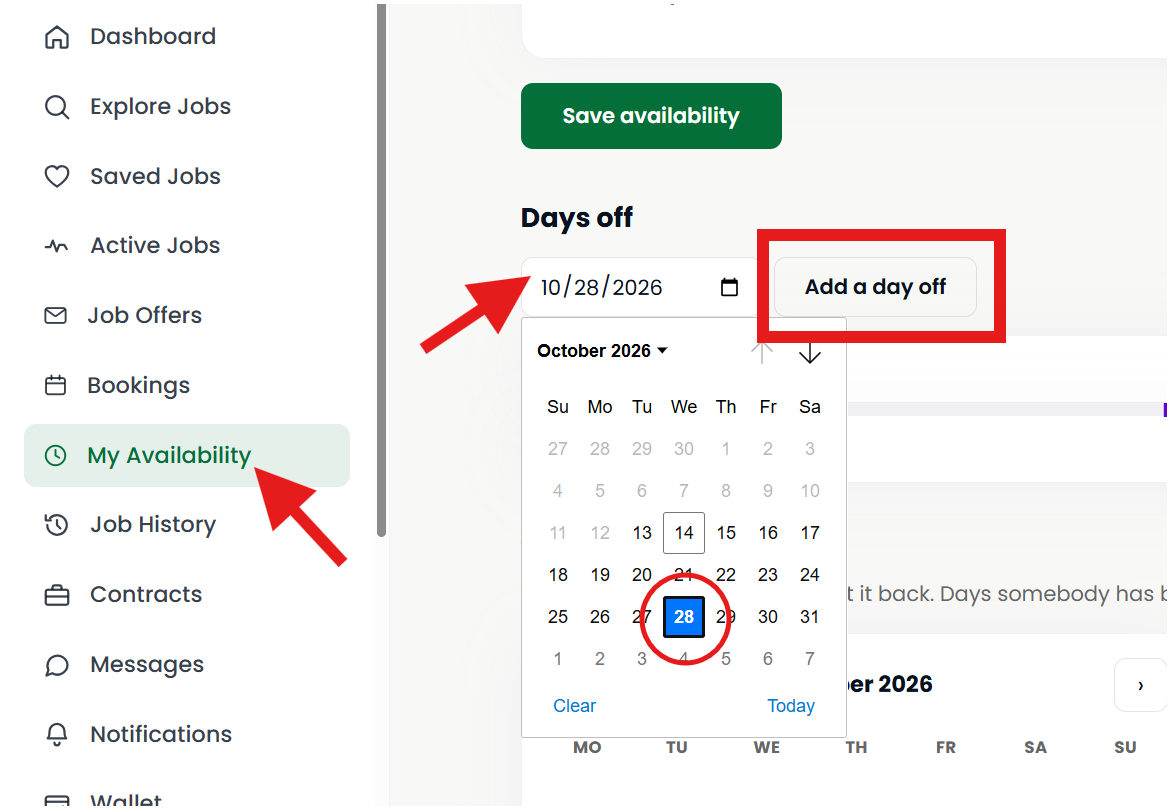
Step 2: Set Your Days Off
- Go to My Availability and click Days Off.
- Select the dates when you do not want to offer your services.
- Click Add a Day Off to save your selected dates.
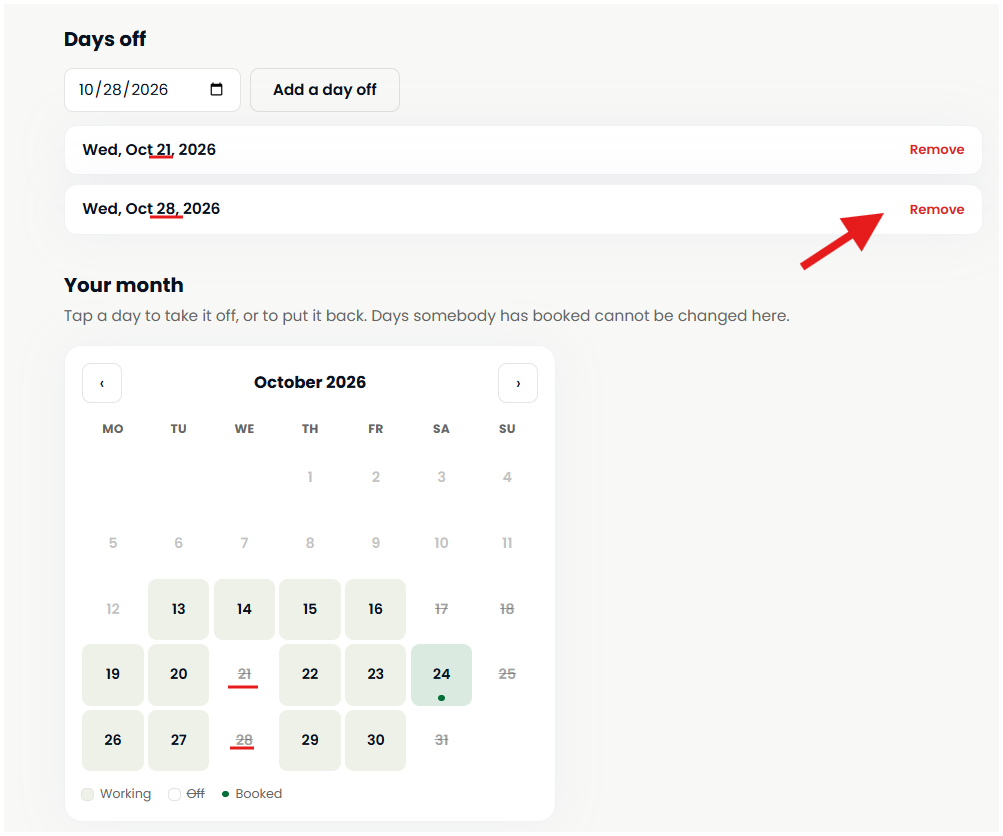
You can easily add or remove days off from your schedule. To delete a scheduled day off, simply click Remove next to the selected date.
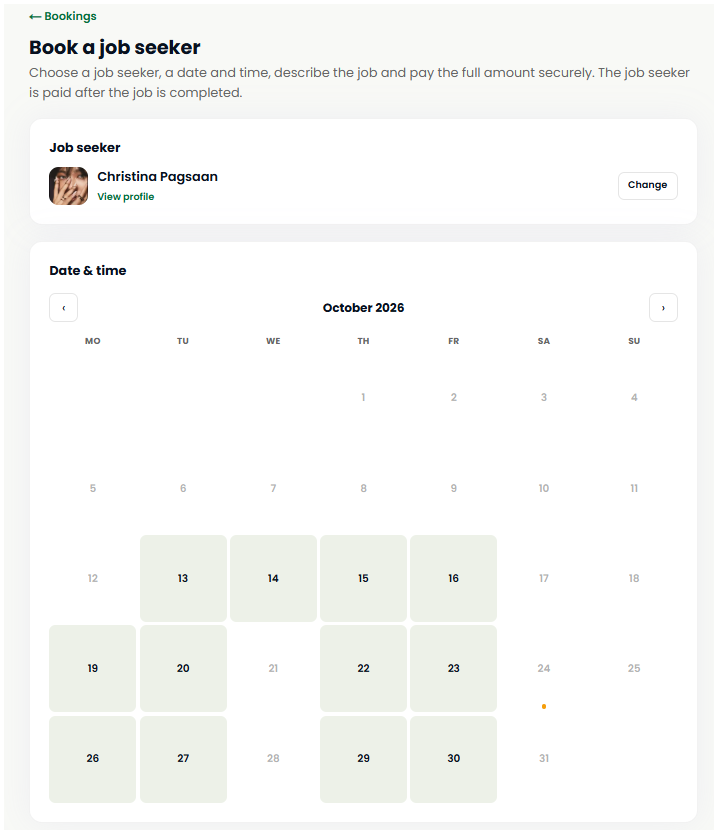
The screenshot below shows how a booking will appear when an Employer or Client books your services, including the scheduled date and time. Desktop view
Note: To see how your booking feature works from an Employer’s perspective, simply create an Employer account and try booking your own services.
Important Reminder
Keep your availability updated to help Employers and Clients book your services at the right time and avoid scheduling conflicts.