
Withdraw your earnings easily and conveniently with Service Deel! Once your earnings are available in your wallet, you can request a withdrawal directly from your dashboard to your preferred bank account. With a minimum withdrawal amount of just ₱100, managing your earnings is simple. Follow the step-by-step guide below to get started.
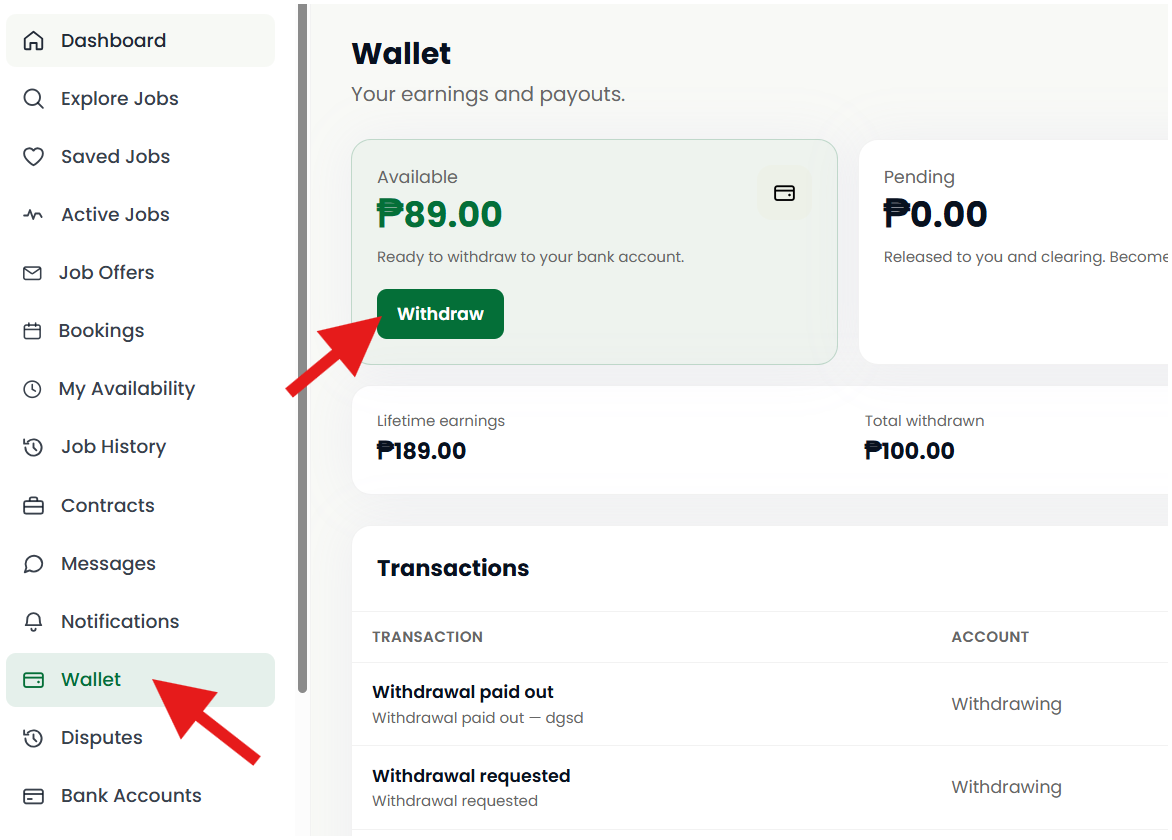
Step 1: Go to Your Wallet
Log in to your Service Deel account, open your Dashboard, and click Wallet to view your available balance.
Step 2: Click Withdraw
In your Wallet section, click Withdraw to start your withdrawal request.
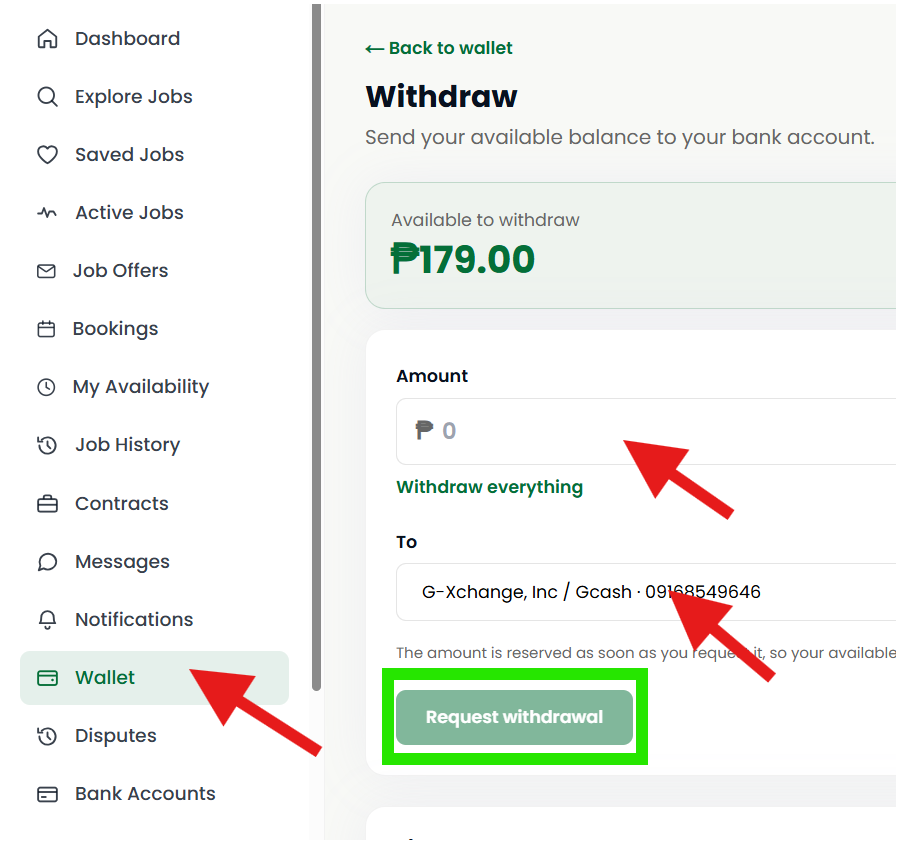
Step 3: Enter the Withdrawal Amount
Enter the amount you wish to withdraw from your available earnings.
Step 4: Select Your Bank Account and click Request withdrawal
Choose the bank account where you want to receive your earnings. Double-check your bank details to avoid payment delays or errors.
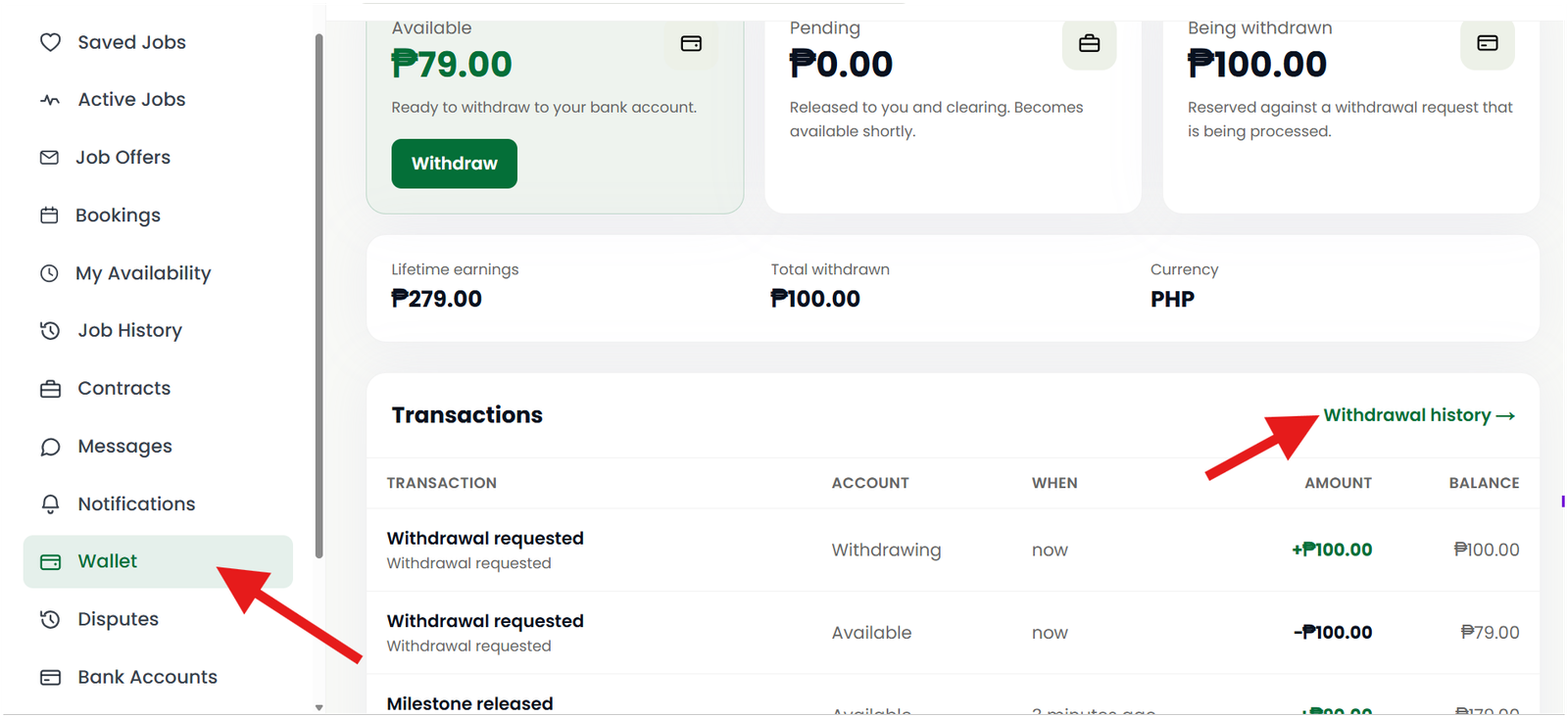
To Check Your Withdrawal Status
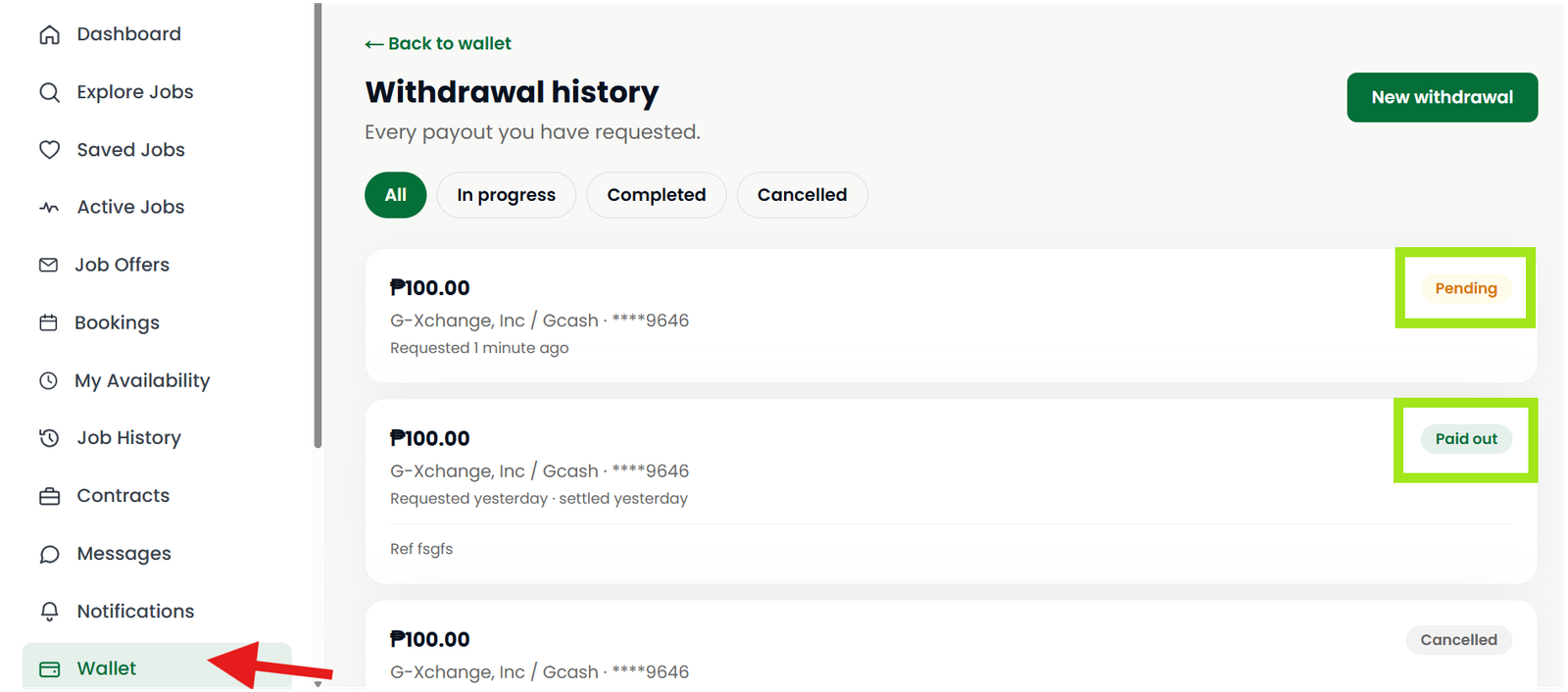
To check your withdrawal status, go to your Dashboard → Wallet → Withdrawal History. In the upper-right corner of each withdrawal record, you will see its status:
- Pending – Your withdrawal request is still being processed.
- Paid Out – Your withdrawal has been successfully processed and the funds have been sent to your selected bank account.
Important Reminders
- The minimum withdrawal amount is ₱100.
- Make sure your bank account information is correct.
- You can only withdraw funds available in your wallet.
- Your withdrawal takes 1 to 3 days.
- Withdrawal processing times may vary depending on the payment provider and receiving bank.