
Hiring on Service Deel is a simple process that connects Employers with Job Seekers and Service Providers. Employers can post jobs, receive applications, or search for people with the skills they need.
Here’s how the hiring process works:
1. Create an Employer Account
Start by signing up for an Employer account. An Employer account allows you to post jobs, browse Job Seeker profiles, send offers, and hire workers or Service Providers.
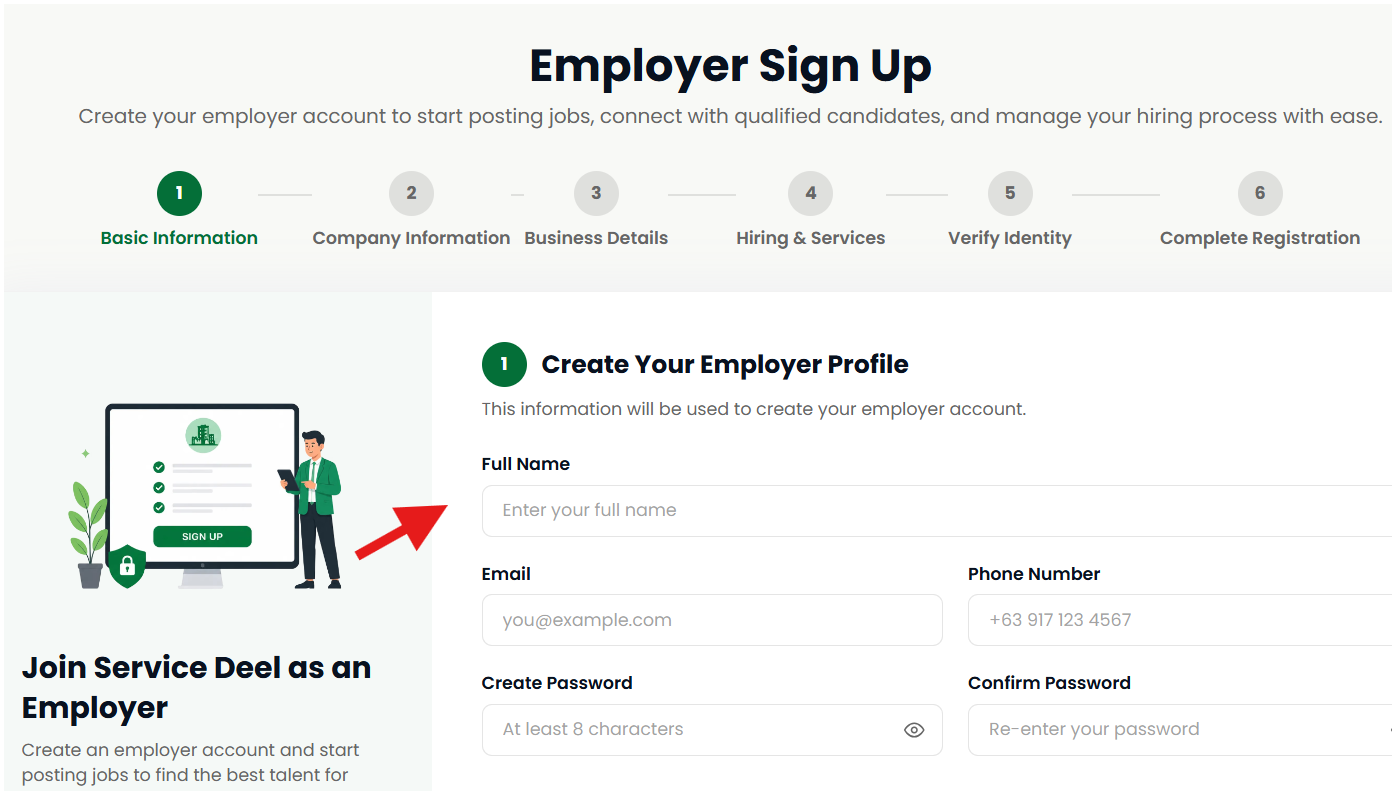
2. Post a Job or Find a Job Seeker
You have two ways to hire:
Post a Job — Create a job listing and let interested Job Seekers apply to you.
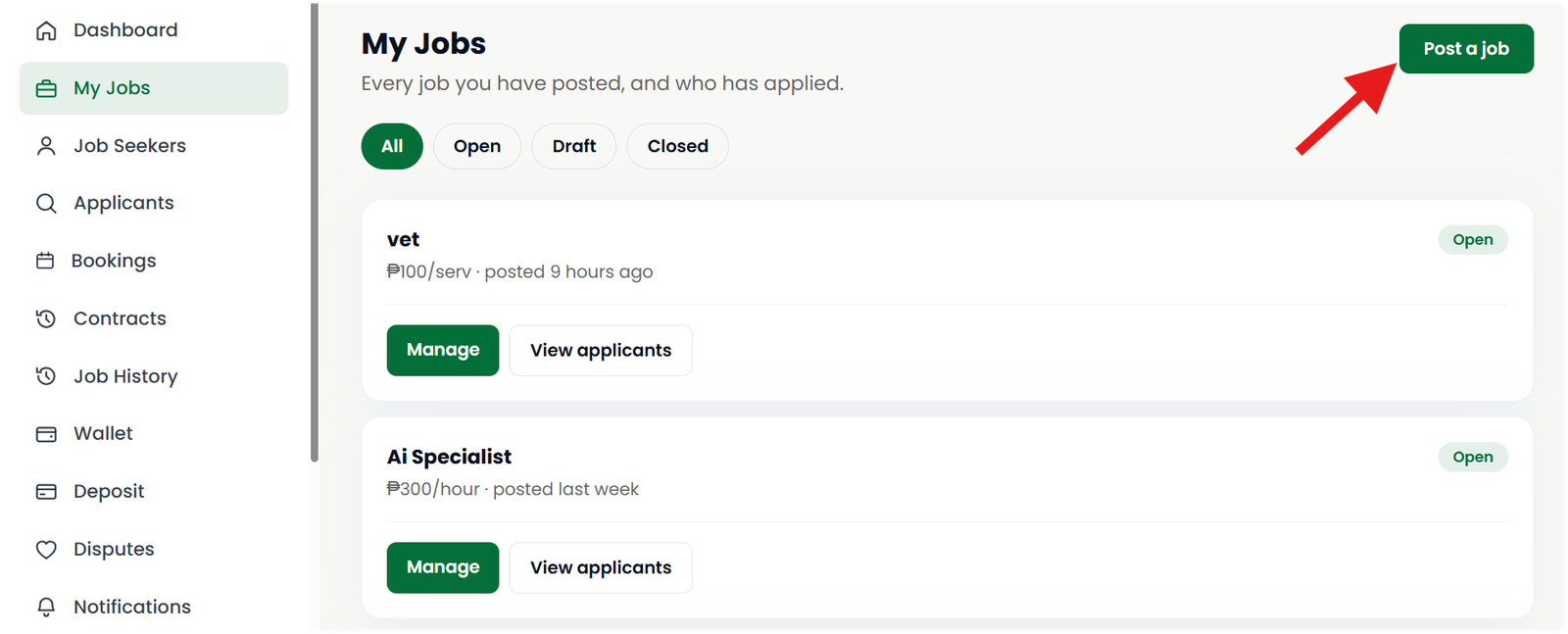
Browse Job Seekers — Search available profiles, check their skills and experience, then make an offer or hire them directly.
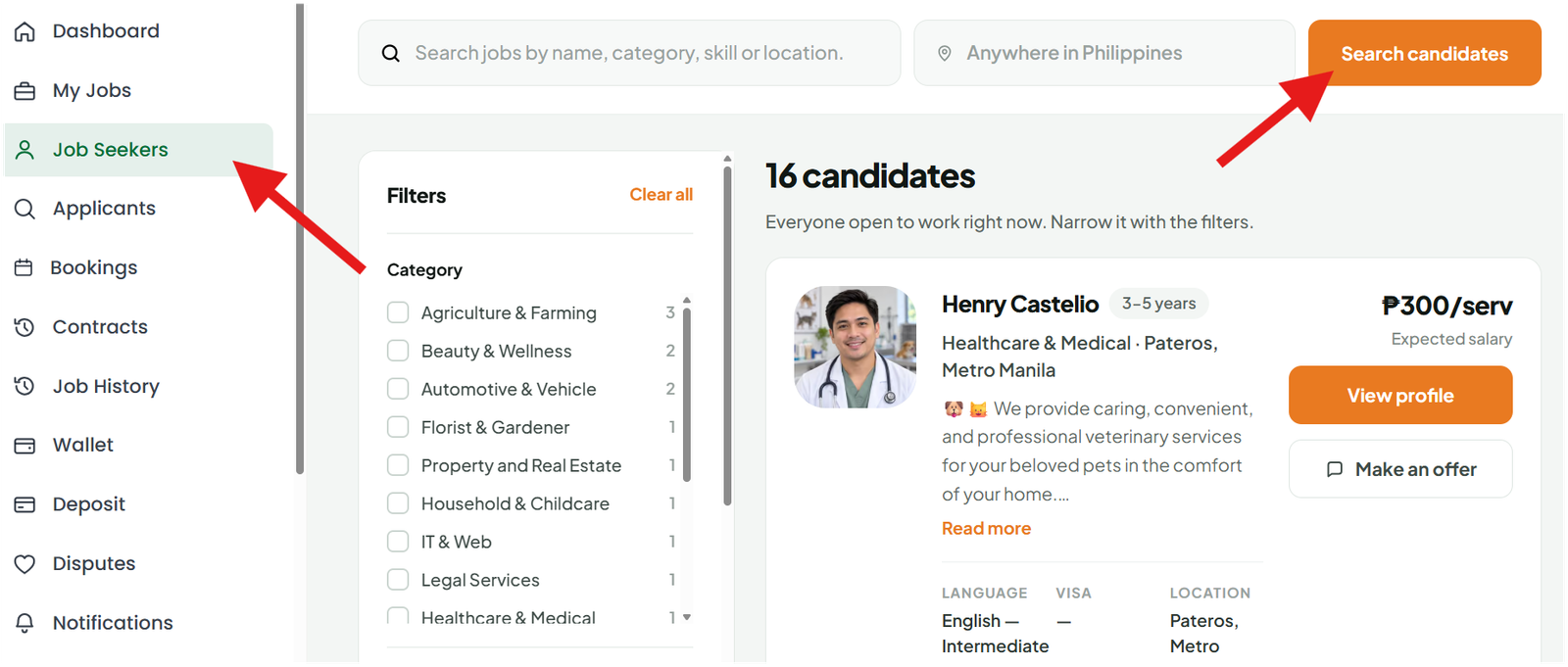
Click Hire and Send Offer if you browse a job seeker.
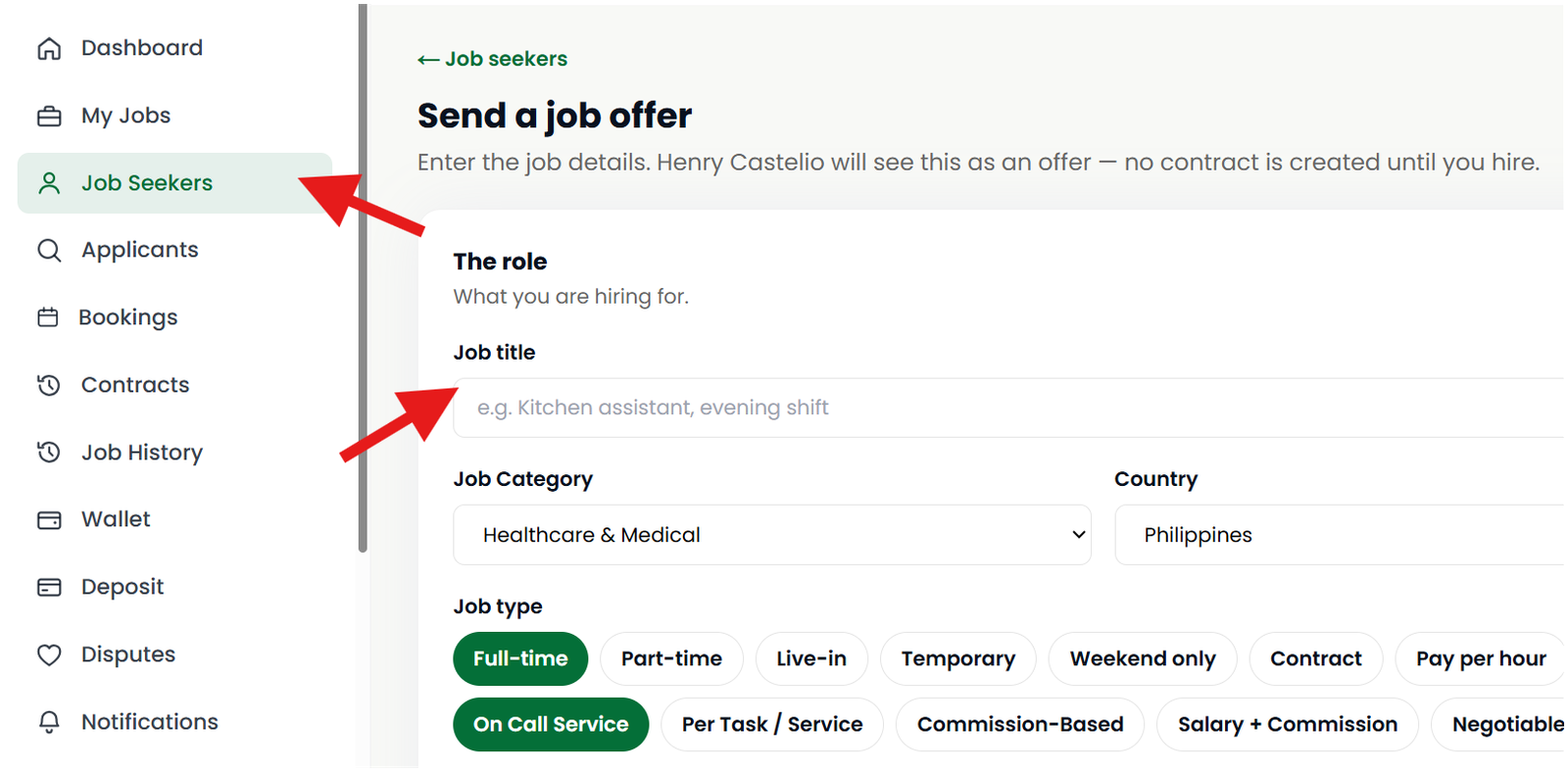
Before hiring, review the person's profile and use Service Deel messages to discuss the job, payment, schedule, and expectations.
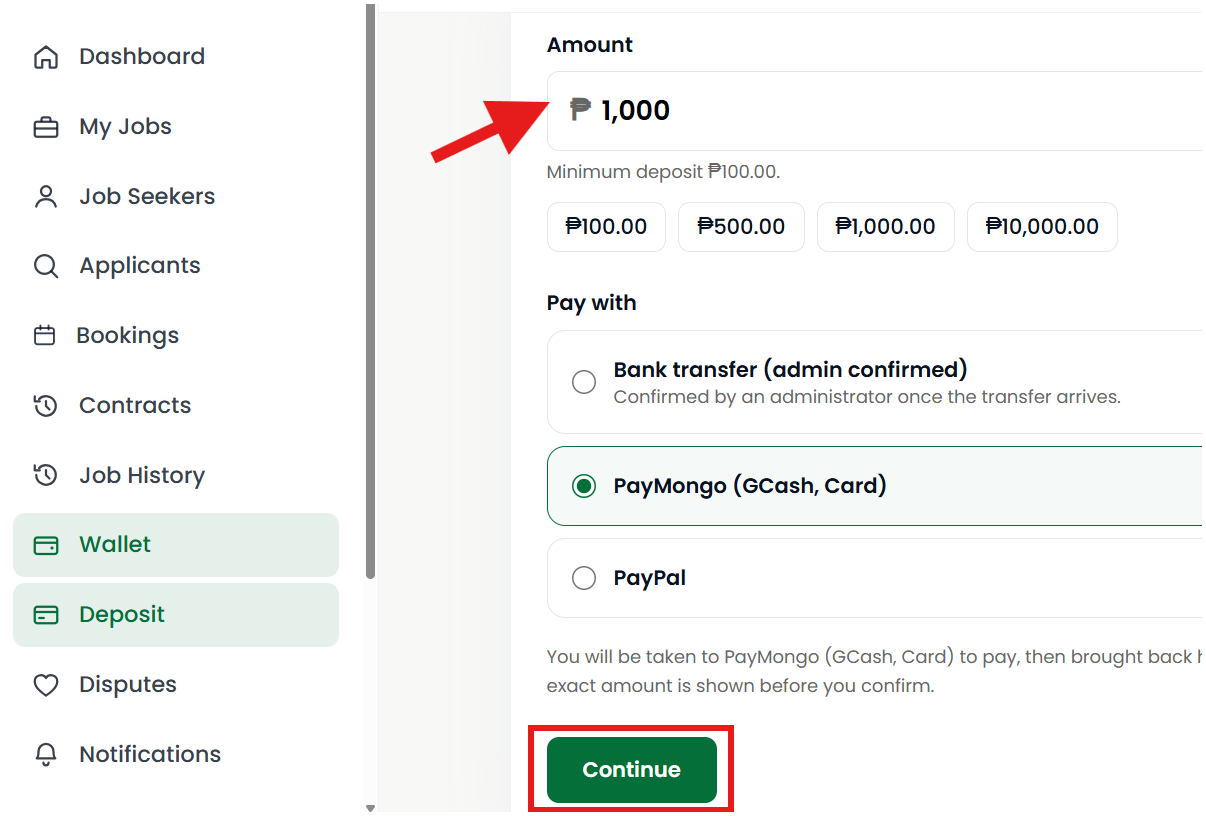
3. Deposite Funds to Your Wallet
Once you have chosen someone to hire and agreed on the job, add funds to your Service Deel Wallet, 3 option, Bank transfer, PayMogo and Paypal. Make sure you have enough funds for the agreed payment.
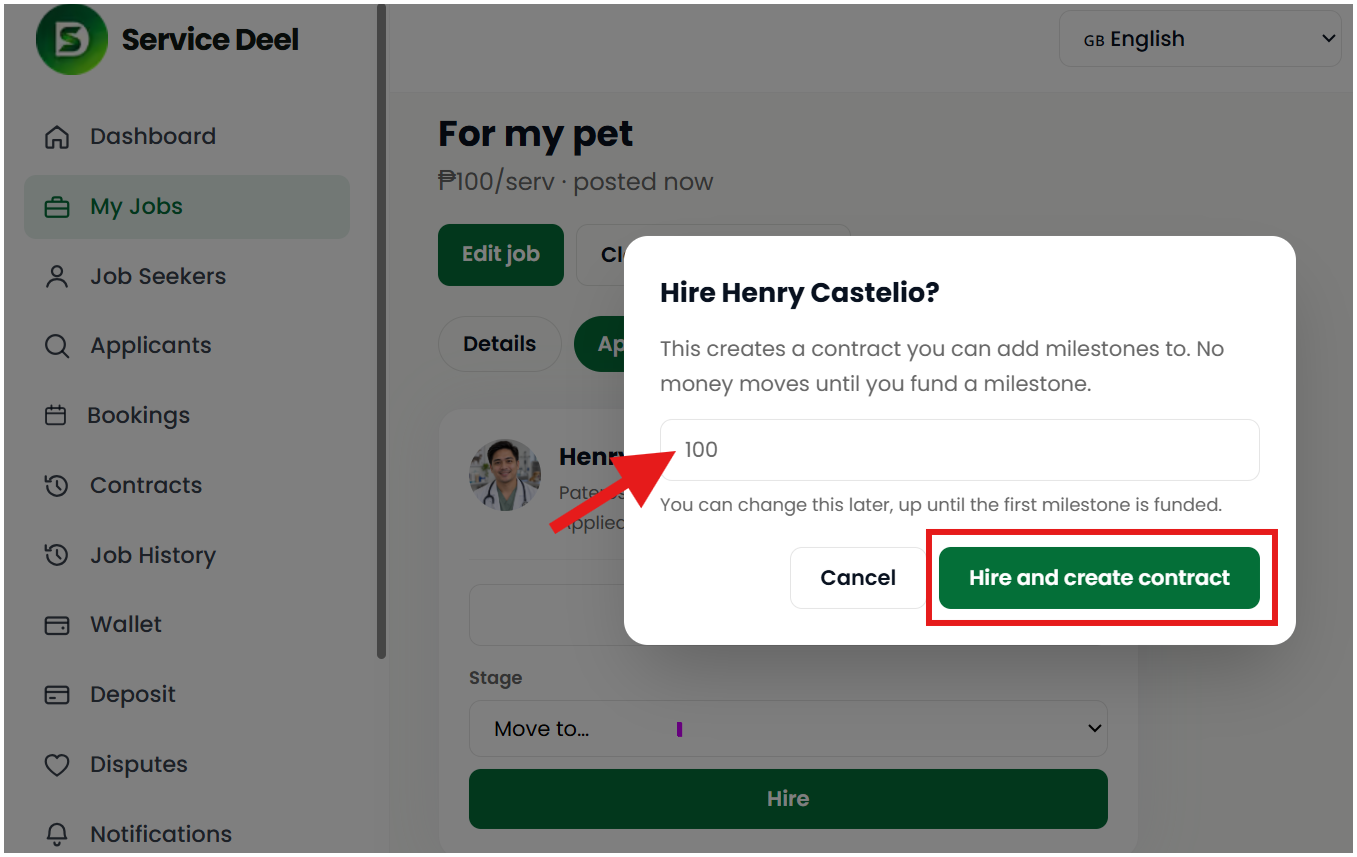
4. Create a Contract
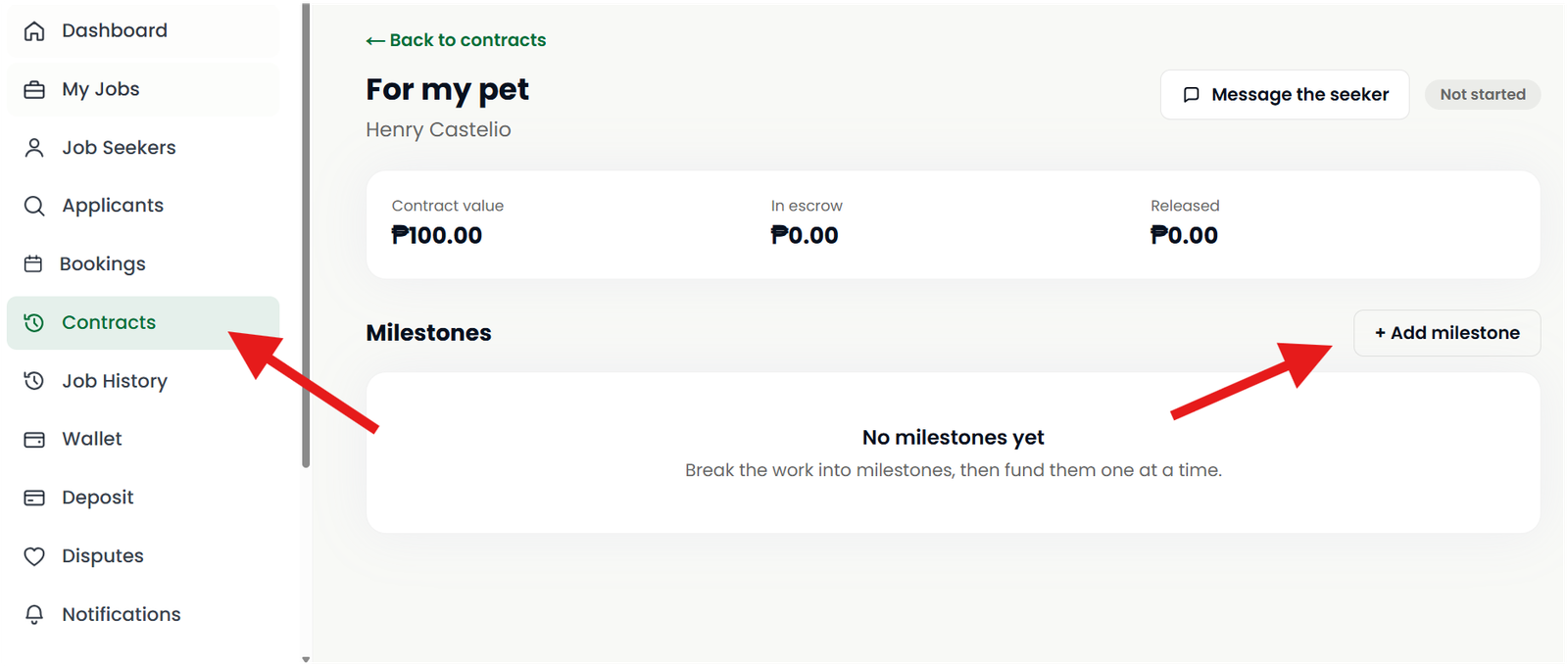
5. Create a Milestone
From your dashboard, click contract, and click the job you want to add milestone.
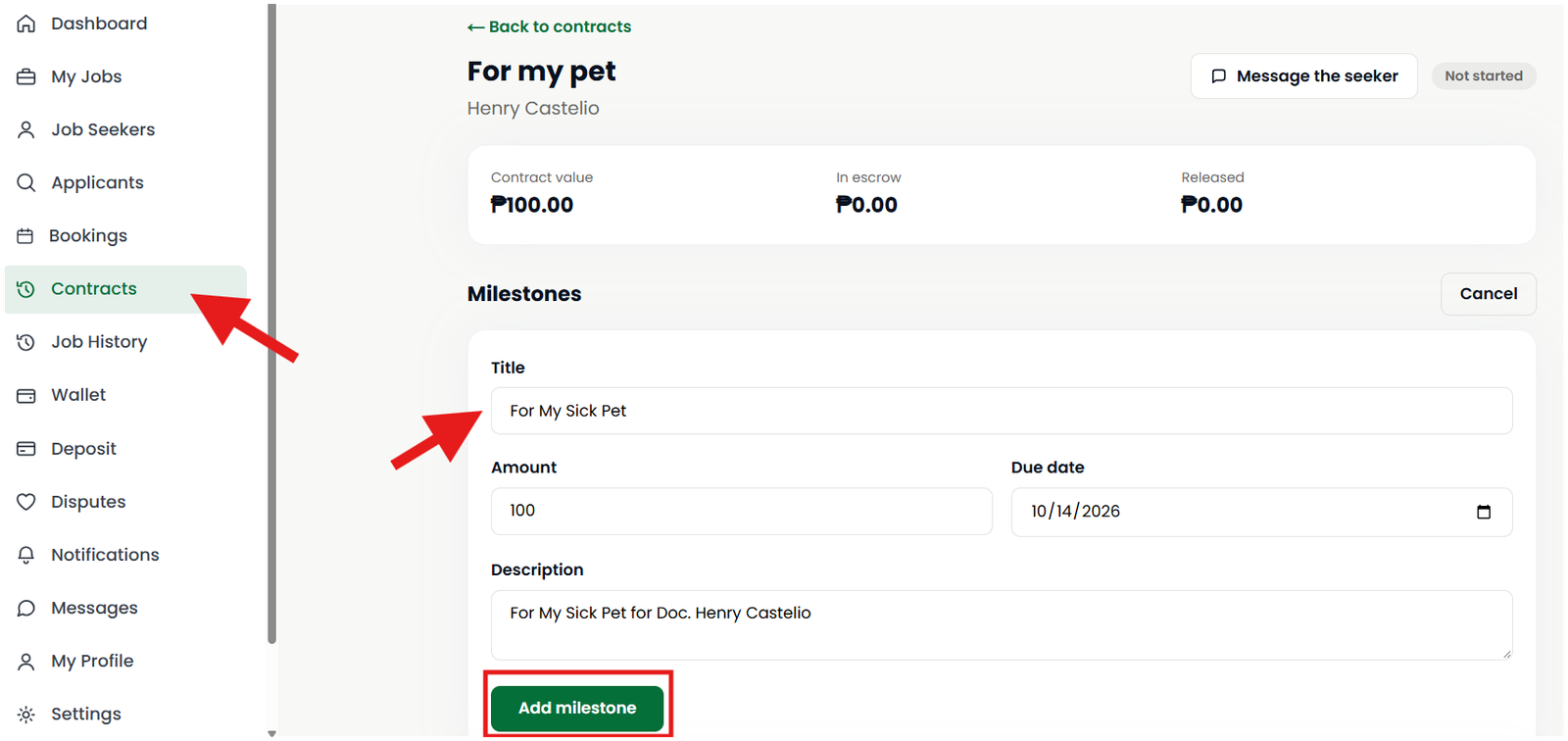
Create a Milestone for the job or service.
A Milestone means temporarily setting aside the agreed funds for the work. It helps clearly establish how much has been allocated for a particular job, service, or stage of work.
Make sure the job requirements, amount, and expected completion are clear before creating the Milestone.
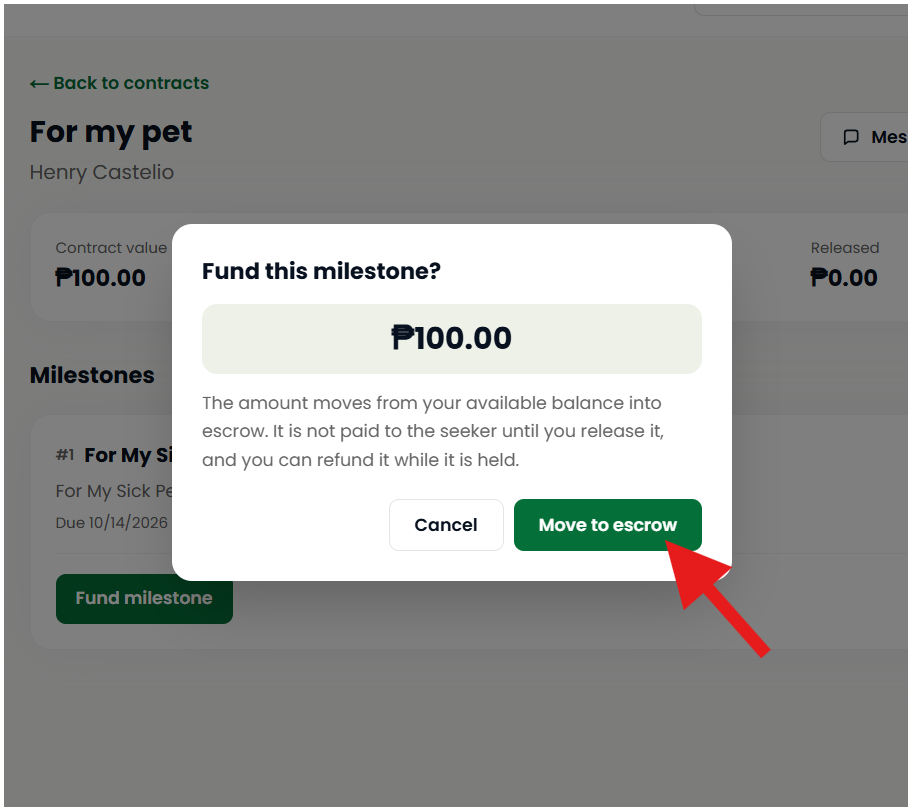
Move to Escrow
After a milestone is created and funded, the agreed payment is moved to escrow, where it is temporarily held until the agreed work or conditions for that milestone are completed.
6. Release the Milestone
After the Job Seeker or Service Provider completes the agreed work, check the work carefully.
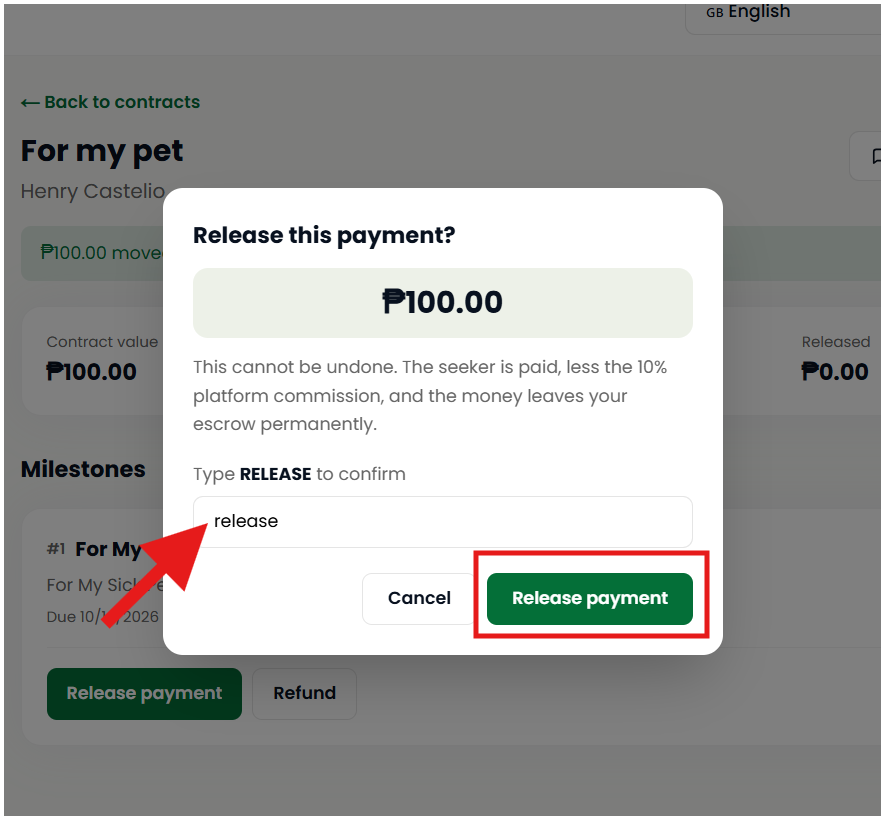
If everything has been completed as agreed, release the Milestone to complete the payment process. For confirmation, you will need to type RELEASE.
Only release the Milestone when you are satisfied that the agreed job or service has been completed.
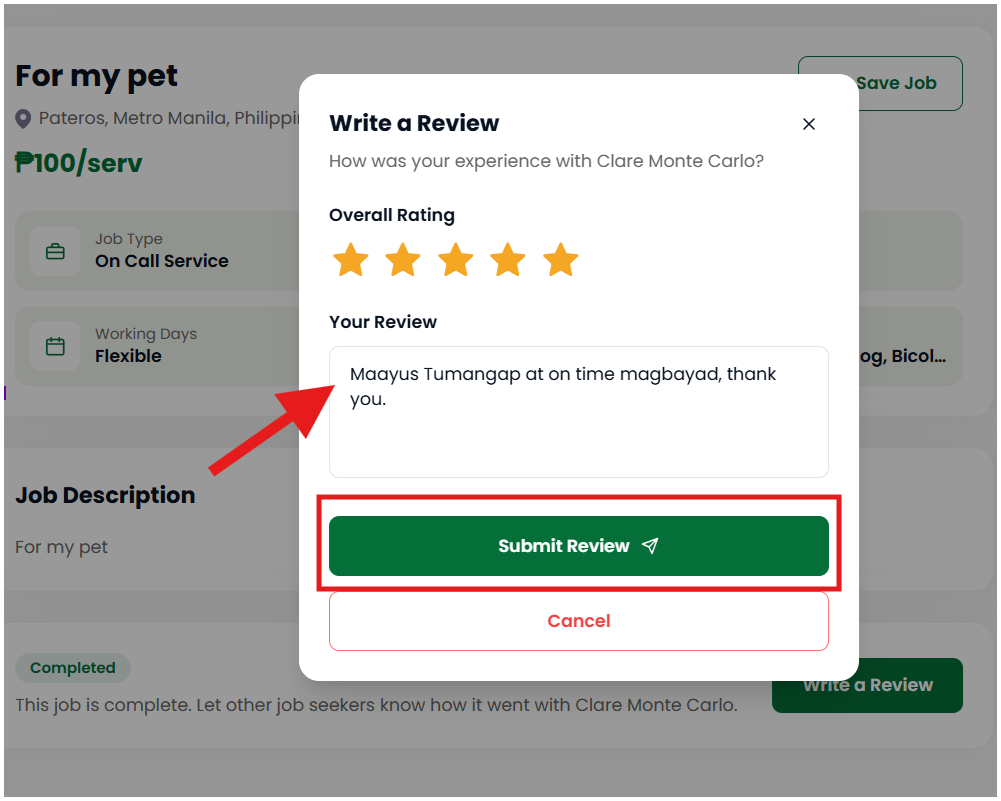
7. Leave a Review
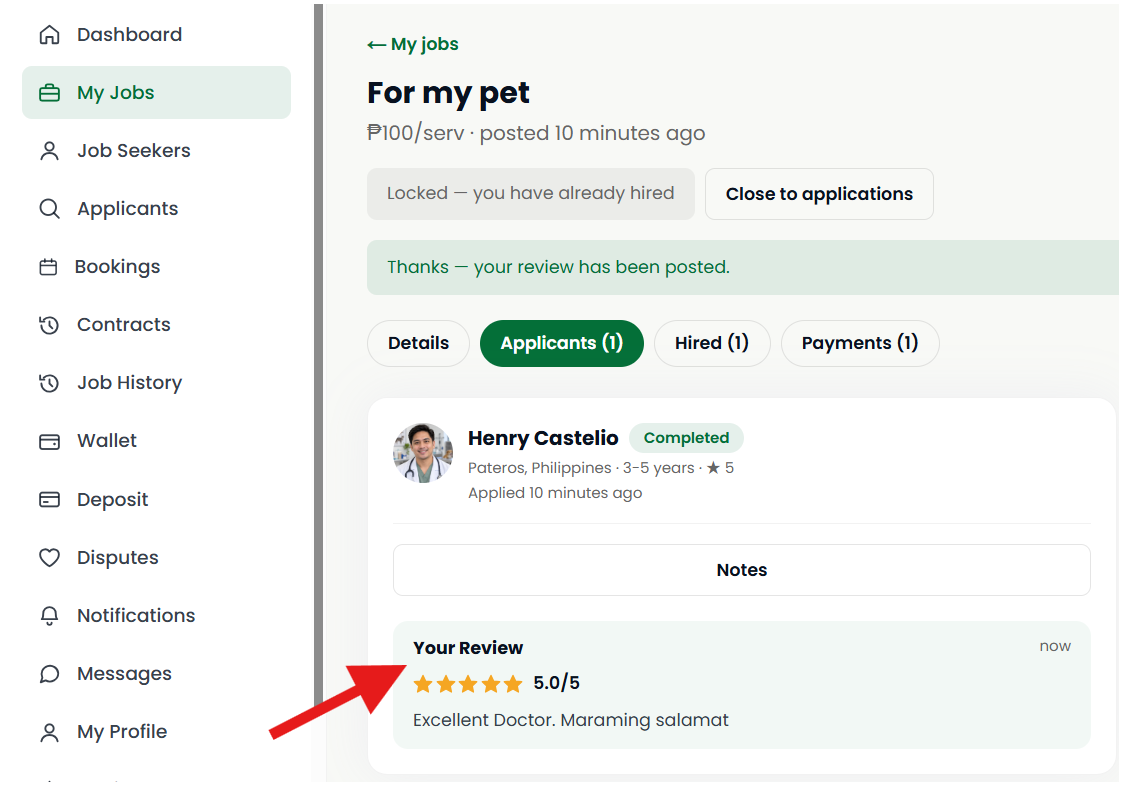
After the job is completed, both the Employer and Job Seeker can leave a review about their experience.
Employers can share their experience with the worker, while Job Seekers can share their experience with the Employer. Honest and fair reviews help other Service Deel users make better decisions.
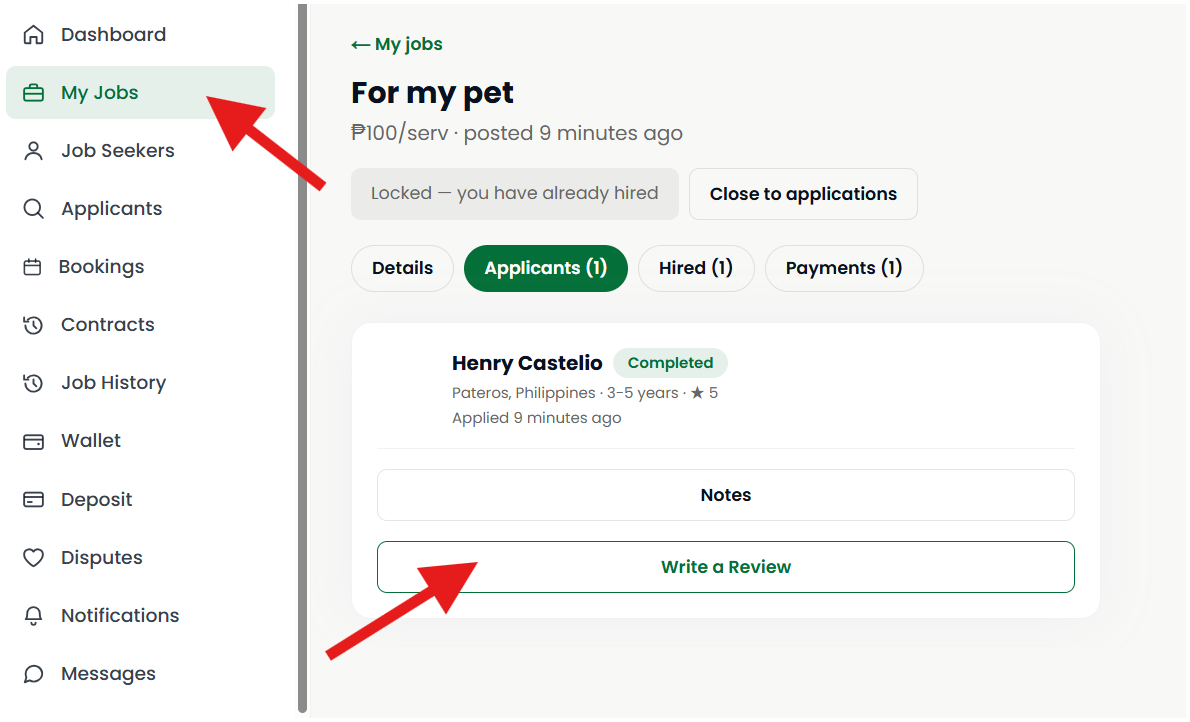
For employer go to My applicant, view job, applicant. Make sure the is already completed.
For Jobseeker, go to job history, view details, click write a review.
Simple Hiring Process
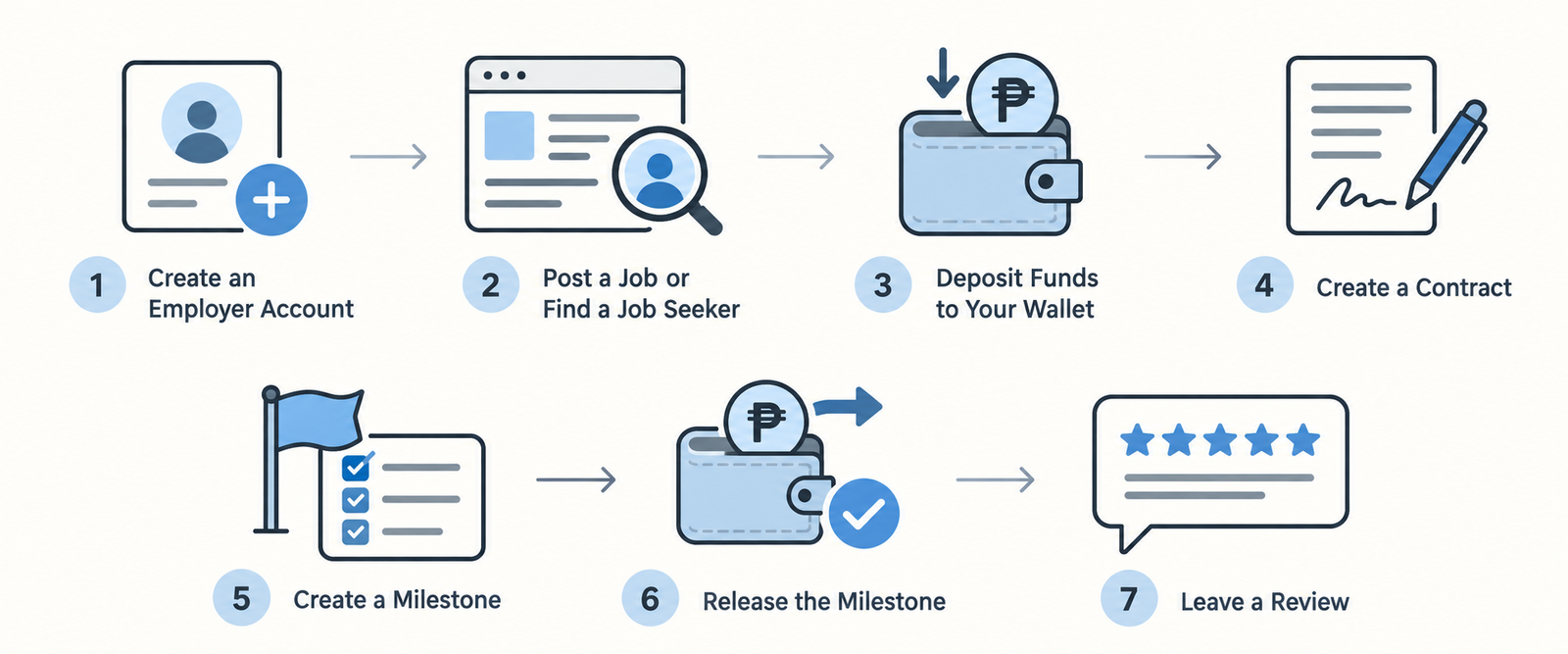
Create Employer Account → Post a Job or Find a Job Seeker → Add Funds → Create a contract → Create Milestone → Work Completed → Release Milestone → Leave Reviews
Service Deel makes it easier for Employers and Job Seekers to connect, agree on work, manage the hiring process, and build their reputation through reviews.
Find the right person. Agree on the work. Complete the job. Release the Milestone. Share your experience.