
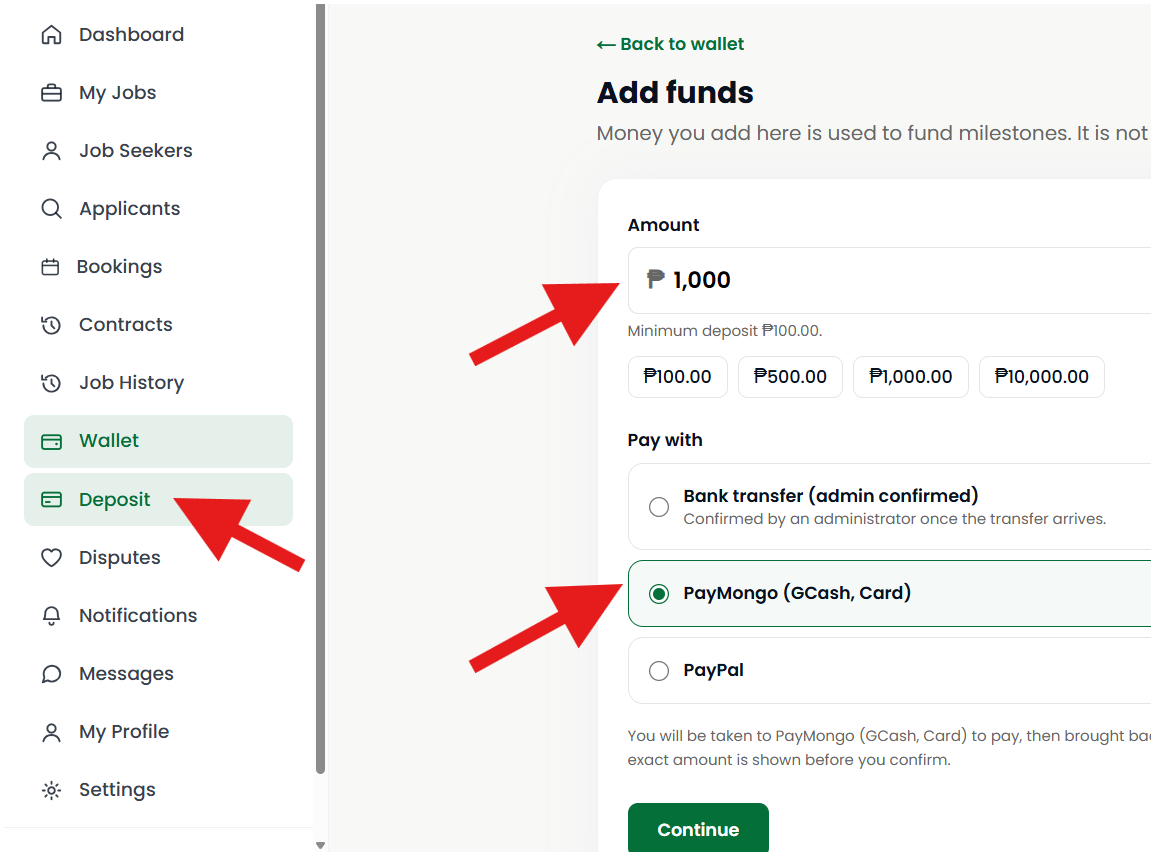
Adding funds to your Service Deel Wallet is quick and convenient! As an Employer or Client, you can deposit money into your wallet to prepare for hiring Job Seekers or booking services. Simply follow the steps below to add funds using your preferred payment method.
Step 1: Go to Your Dashboard, Click Deposit, Enter the Amount, Select a Payment Option, Click Continue
Important Reminder
Make sure the deposit amount and payment details are correct before confirming your transaction. Your wallet balance will be updated once your payment has been successfully processed.
Step 2: Complete Your Payment Through PayMongo
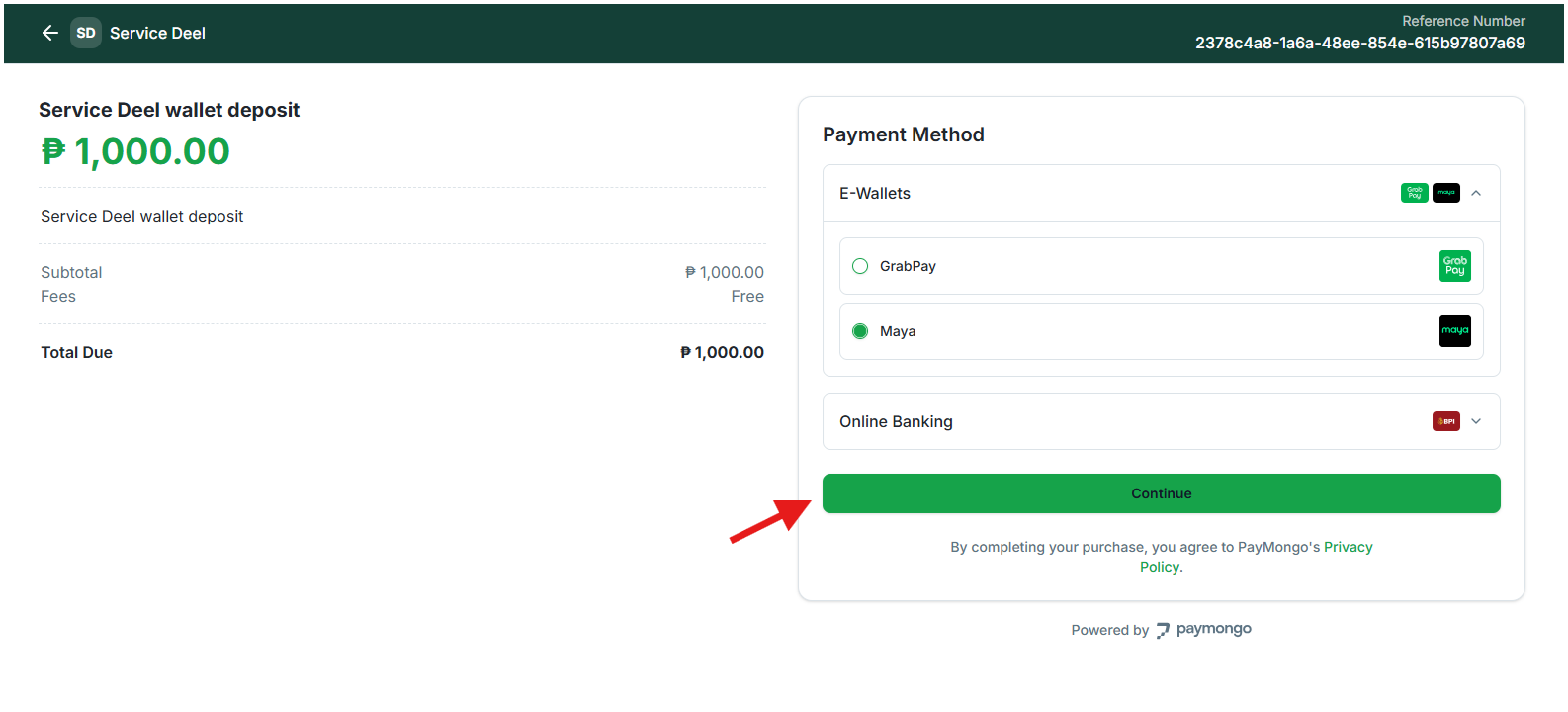
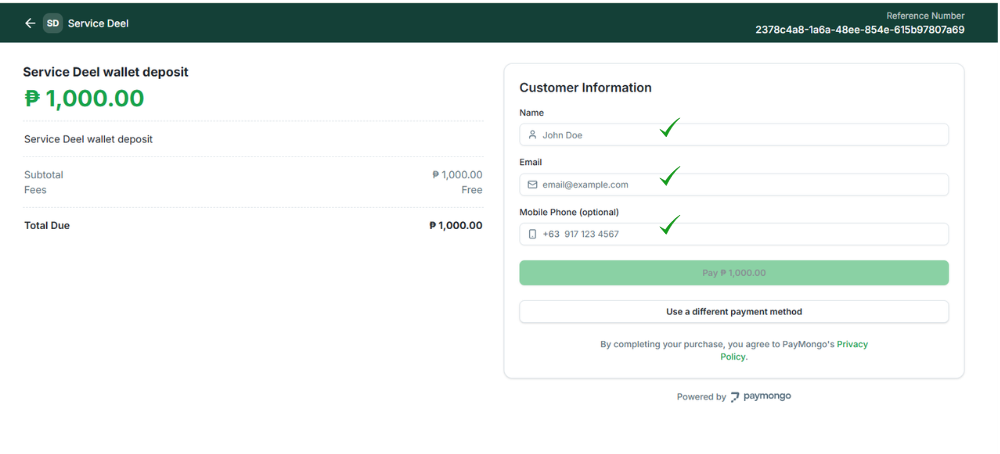
You will be redirected to the PayMongo payment page. Fill in the required information and click Continue.
- Log In to Your E-Wallet
Select your preferred e-wallet, such as GCash, Maya, or GrabPay, and log in to your account to authorize the payment.
- Confirm Your Payment
Review the transaction details in your e-wallet and click Pay to complete the payment.
Important Reminder: Make sure your payment details and deposit amount are correct before confirming. Once your payment is successfully processed, the funds will be added to your Service Deel Wallet.